
Skip to content

A free Firefox proxy extension for switching proxies in one click.

Save every proxy you use as a profile, then switch between them from the Firefox toolbar with proxies from any provider.

  • Free, every feature included
  • For desktop Firefox
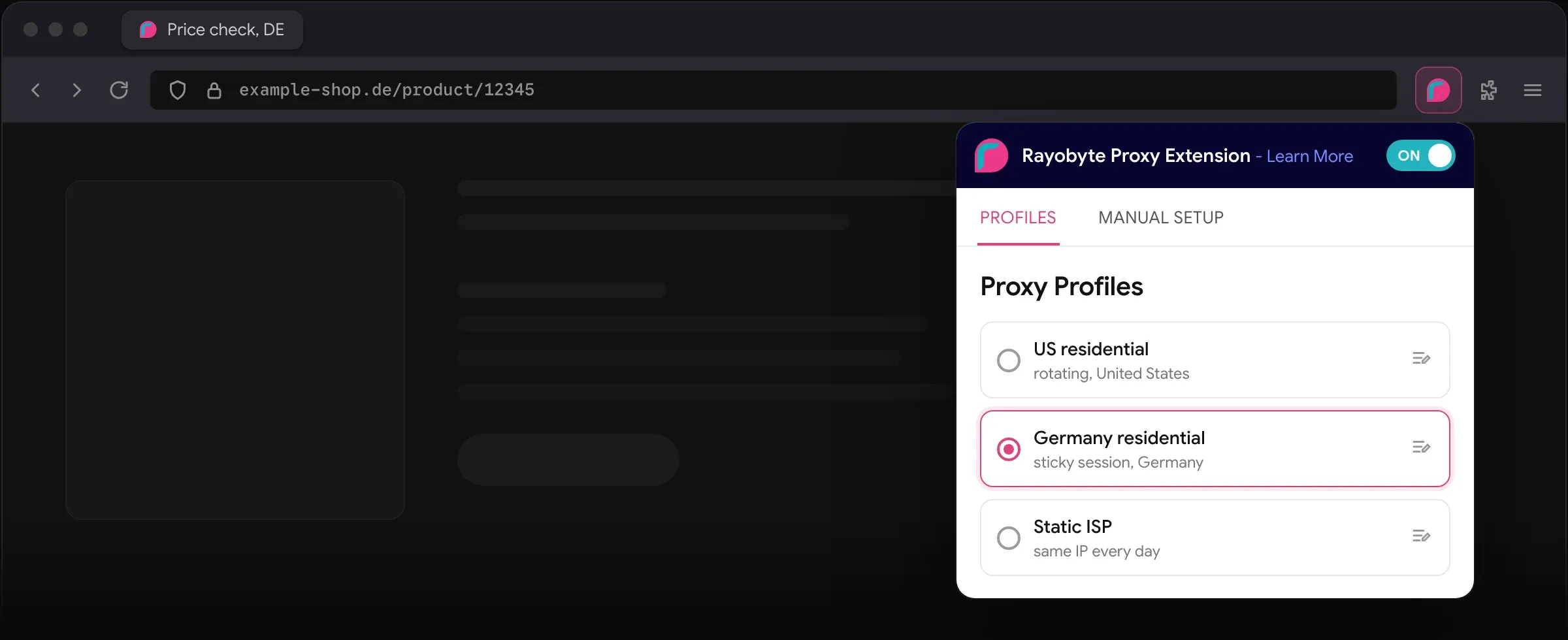
The Rayobyte proxy extension open in the Firefox toolbar, on its list of saved proxy profiles, with a German residential profile selected
// why the extension

Switch proxies without opening browser settings.

  • Quick setup

    Set up and switch proxies in a few clicks, with no browser settings to dig through.

  • Every proxy type

    Residential, ISP, mobile and datacenter proxies, over HTTP(S), SOCKS4 or SOCKS5.

  • Pick the country

    With Rayobyte residential proxies, browse from an IP in any of 190+ countries to check localized content, prices and ads.

  • Built and supported by Rayobyte

    Send questions, bug reports and feature requests to the team that builds the Firefox extension.

    Send a suggestion

Set up multiple proxy profiles.

Enter a proxy once, name it and save it as a profile. With the Firefox extension you set up, switch between and manage all your proxy servers in one place, with no manual browser configuration.

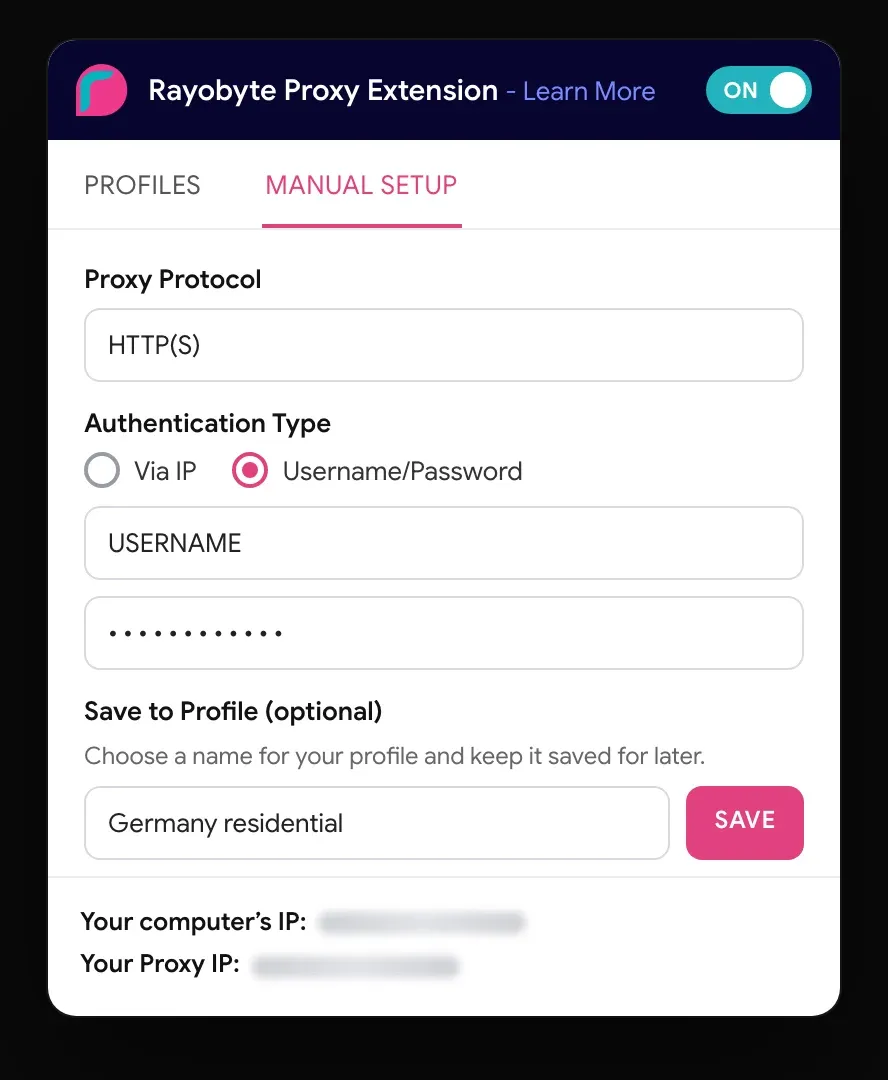
The extension’s manual setup tab, scrolled to its foot: username and password, and a name to save the proxy as a profile

How to use the proxy extension for Firefox.

  • 1. Install it

    Add the free extension from Firefox Add-ons, then pin it to your toolbar.

    Add to Firefox
  • 2. Add your proxies

    Enter each proxy’s address, port and login, and save it as a profile.

  • 3. Switch in one click

    Pick a profile and turn the extension on. Your browser traffic now goes out through that proxy.

The 40‑second walkthrough.

Recorded in Chrome. The Firefox add-on works the same way.
// products

Fill your profiles with Rayobyte IPs.

When you need IPs, residential shows you a country as a local sees it, and a static IP keeps the same address every day.

country targeting

Premium Residential

Rotating residential IPs with country, city, ZIP and ASN targeting, and sticky sessions when a site needs the same IP.

  • country, city, ZIP, ASN
  • sticky sessions
  • SOCKS5 and UDP
from$0.50/GBthrough sales, or pay as you go at $0.70 to $3.50/GB
Start free trial
same IP every day

Static ISP

Dedicated IPs registered to internet providers, with unlimited bandwidth*.

from$0.95/IP a monthat scale with a commitment; talk to sales
Sign up free
our lowest cost per IP

Static Datacenter

Datacenter IPs you control, with unlimited bandwidth*.

from$0.85/IP a monthat scale with a commitment; talk to sales
Sign up free

Questions about the Firefox extension.

What makes Rayobyte’s extension a good proxy extension for Firefox?

It saves each proxy as a profile and switches between them in one click, over HTTP(S), SOCKS4 or SOCKS5, with proxies from any provider.

Can I use this Firefox proxy extension with any proxy provider?

Yes. The extension works with proxies from any provider, so you can use the proxies that fit your needs.

Is the proxy extension free?

Yes. The Firefox extension is free, with every feature included.

Collect more. Spend less.

The proxy and scraping network priced for the AI era.

// self-serve

Start in minutes

Every self-serve product has a free trial, and no credit card is needed.

Start free trial
// for teams

Talk to sales

Sales offers volume pricing below our published rates, custom plans and a direct line to the people who run the network.

Contact sales

AI made it possible to use far more of the web than anyone collected before. Read the full thesis

*Fair usage applies.